Want to make a quick announcement for some of the new UI you may be seeing.
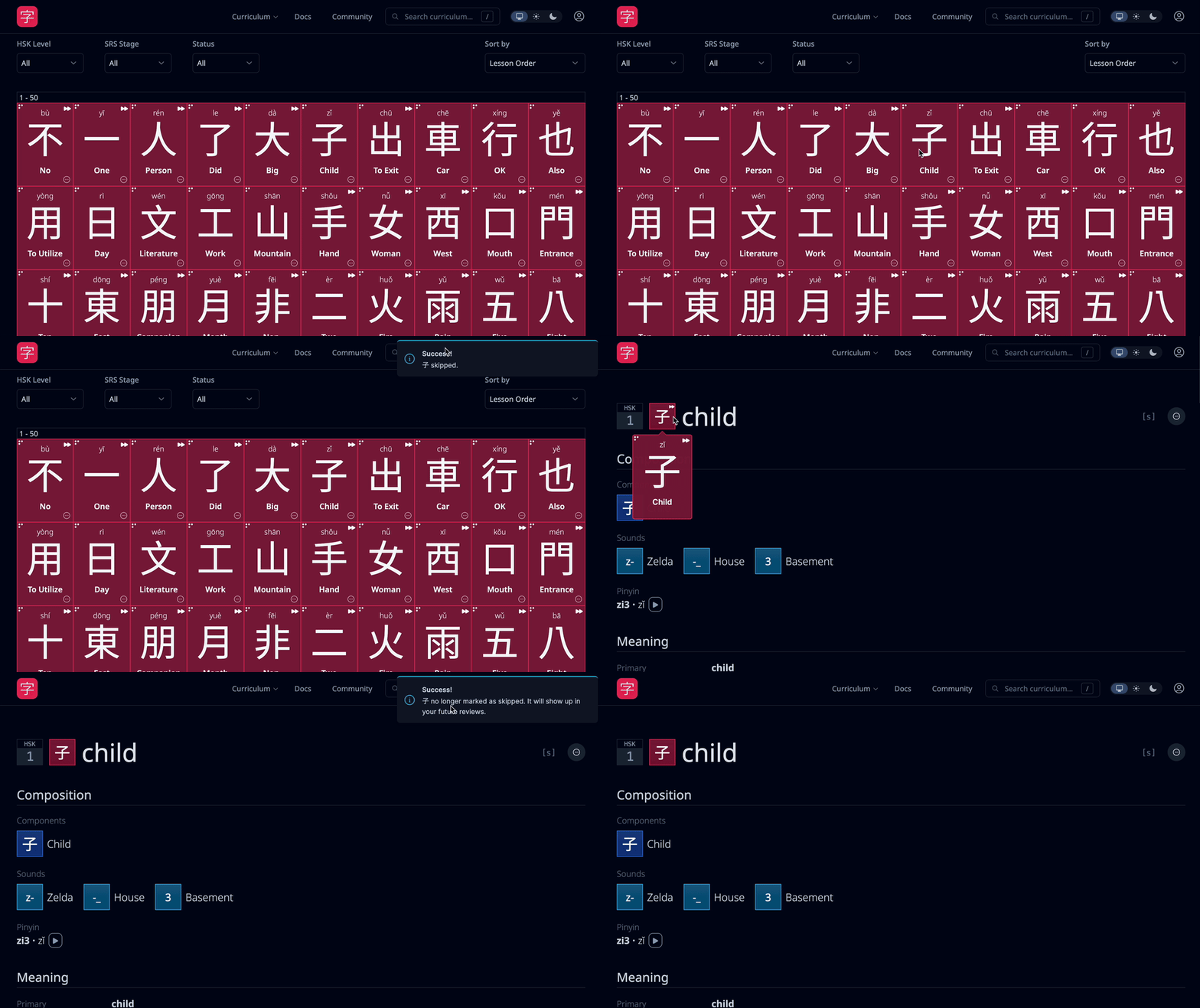
Quick Actions
Currently to skip or prioritize items you have to navigate to each item page individually. This isn’t the most efficient, so there’s now a small dropdown on all tiles you can easily access. For now you have the skip and prioritization actions for quick access.
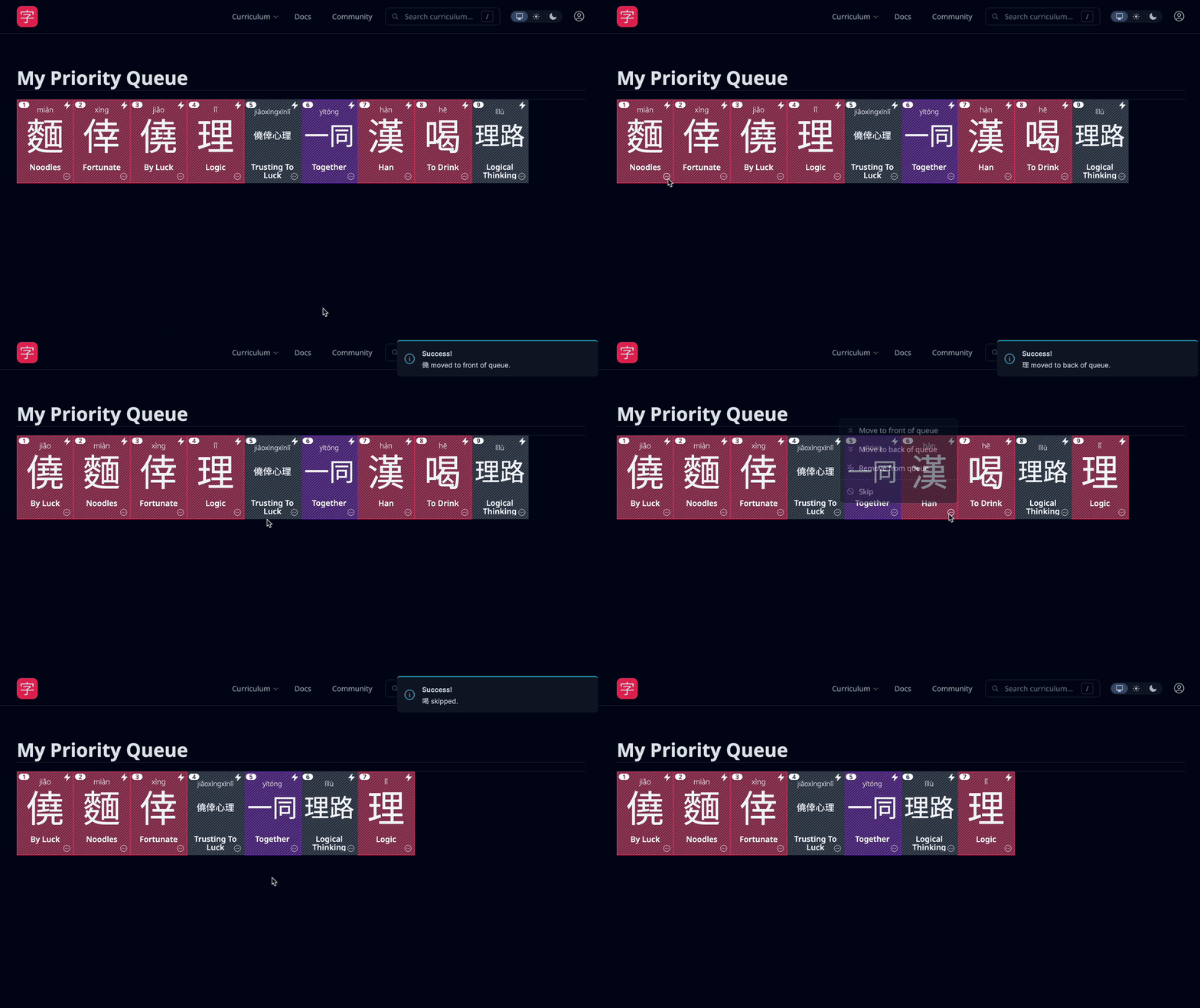
Priority Queue
This is a part of an ongoing effort to unify prioritization across characters, words, and dictionary items.
If you go to your Curriculum dropdown you’ll see a “Priority Queue” link. As of today you can now choose whether to push to the front of your priority queue (which has been the default), or now add it to the end, and see what exactly your current prioritization queue looks like across the three item types.
With the new “Quick Actions” you can easily push items to the back, front, or remove it entirely. Additionally, should you navigate to the item page, you have the same choices. We rehauled the prioritization/skip buttons on item pages to make it easier to handle your priority queue.
Leeches
Lastly, you may have noticed some ghost icons. We’ve started tracking leeches in the system. A leech is a card you get wrong more than eight times over its lifetime. We want to add more controls/solutions to managing leeches, but the first step is beginning to surface them.
That’s all for now! The docs will be updated to reflect these changes soon.
Please let me know if you run into any bugs/issues or have any feedback
It would be great to see the number of times I got a character wrong during a lesson, so I can spend more time ‘strengthening’ the memory map if I notice the counter has gotten too high.
This is great stuff. Thank you for your hard work! I wonder, would it be a big lift if the “leech” threshold could be adjusted? At the moment it’s at a fixed 8 times, would it be possible if this could be a slider in the user settings? For example, if I wanted to consider something a leech after 6 failed attempts.
I also wouldn’t mind if has receny limits. i.e. X fails out of the last 10/20 reviews.. I can easily fail a brand new character 8 times in the first week then get the hang of it and never fail again … but it’s forever a leech even once I have 8 fails but then 200 successful reviews. If it was +3 fails out of the last 10 I can study it hard then “fix it” so it leaves the list.
I think we can make it adjustable. I do worry about how large the settings have gotten though but as we further integrate leeches I can see why one would want to adjust it. Eight does feel a little excessive
Yeah, I think the next steps are providing ways to “reset” the leech status of an item so it only considers reviews from that on forward. The idea is that the “ghost” icon signals that this card needs to be looked at and reconsidered more thoroughly before “unleeching” it and putting it back into the pile. But I’m open to other ideas on how to manage leeches I do think there’s value in surfacing “repeatedly wrong” ones. It reminds me of creating a “Frequently Wrong” extra study session type, which pulls items you have gotten wrong a lot, in a row, perhaps. I am curious how this would interact with leeches though
By number of times wrong, do you mean within that review session or over the character’s “lifetime”? I can see us updating the Review Summary page to highlight ones you answered incorrectly more than once within that session
I meant more over the lifetime of the item, so if it takes 8 incorrect answers for an item to be assigned as a item. Even if an item is not yet at 8 incorrect answers (a leech) i’d like to know how many incorrect attempts I have had so far.
If you reset an item’s SRS status, the item stays marked as a leech despite now having 0 reviews (I reset something specifically to clear it’s leech status but it didn’t clear lol). I think resetting it’s SRS history should clear leech icon (turn it off).
Love the leech icon though! Even just seeing the little ghosts means I’m prompted to take action in a way that randomly missing one review doesn’t.
is one of the planned updates to create a “leech list” that you can just click on to review all leeches in one spot without having to say make a priority queue of them?
Nothing is set in stone at the moment we’re giving more thought on the best way to handle leeches, but your suggestion is well taken and I’ll keep it mind!
 ghost icons. We’ve started tracking leeches in the system. A leech is a card you get wrong more than eight times over its lifetime. We want to add more controls/solutions to managing leeches, but the first step is beginning to surface them.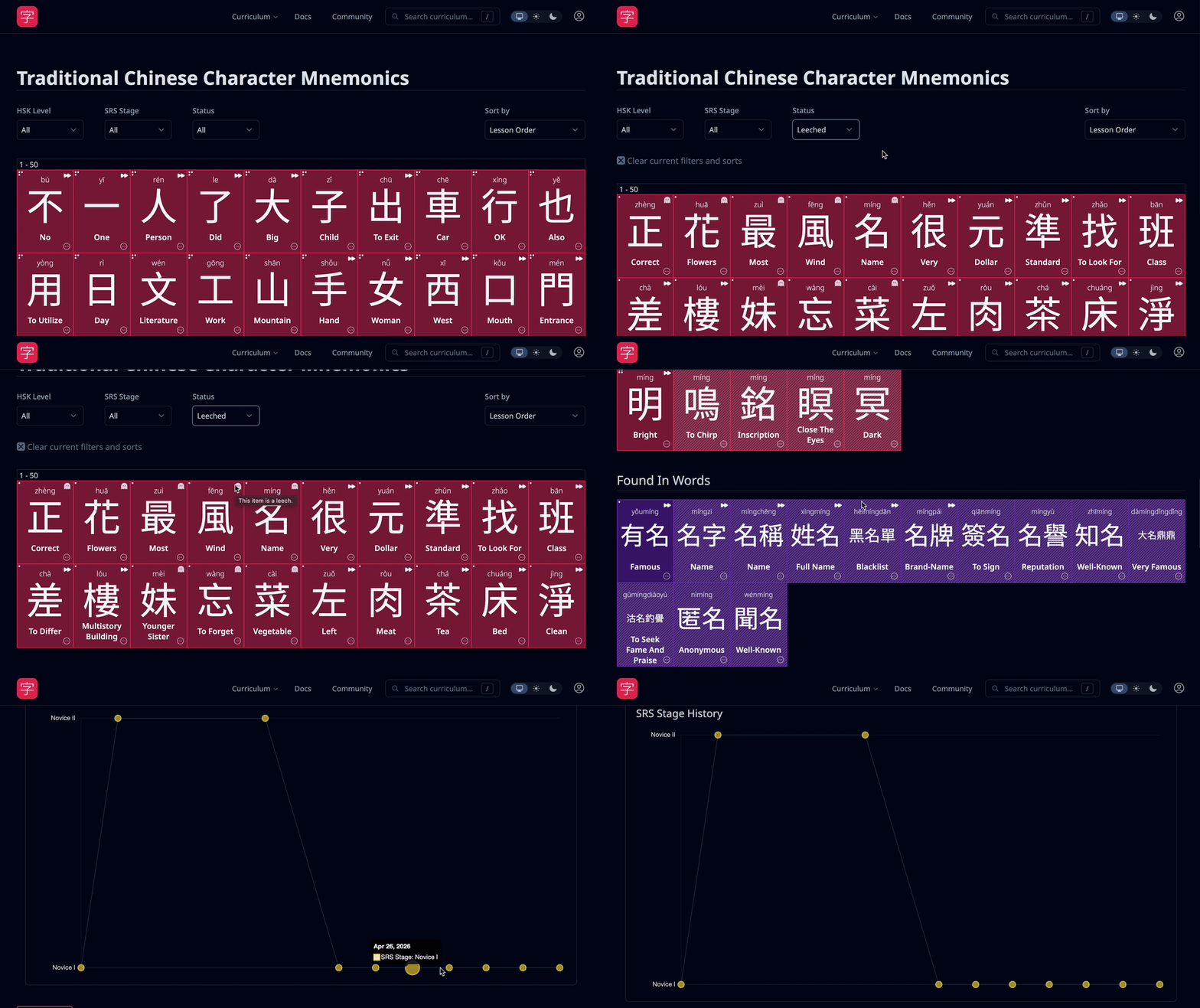

 but as we further integrate leeches I can see why one would want to adjust it. Eight does feel a little excessive
 I do think there’s value in surfacing “repeatedly wrong” ones. It reminds me of creating a “Frequently Wrong” extra study session type, which pulls items you have gotten wrong a lot, in a row, perhaps. I am curious how this would interact with leeches though