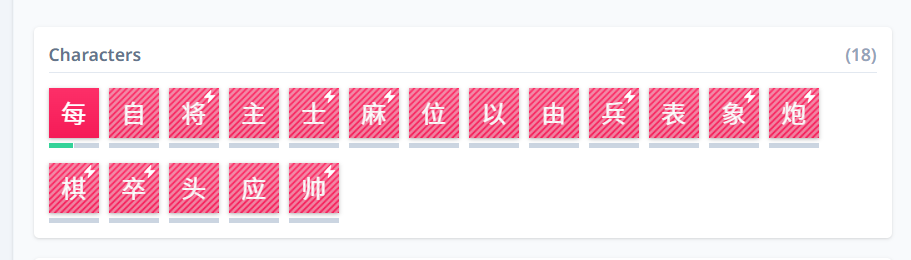
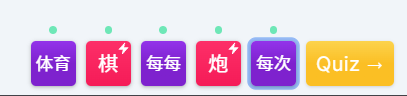
Hi! It looks like when prioritizing characters, the widget for the next characters you’re going to learn doesn’t match what actually appears in the lessons:
Items learned in the lesson just after sending that pic
The prioritization tool will first queue up the items that you have prioritized within this lesson’s character set. It appears that it’s working as expected. Once you’ve learned all of the prioritized characters, then you’ll see the non-prioritized characters of this lesson batch. If you want to learn all characters first before any vocabulary, you can adjust that setting in your personal settings.
Additionally, I don’t think the widget order is reflective of the lesson queuing system since it also factors in vocabulary and knowledge dependencies.
The widget order I don’t think has ever been reflective of the learning order as @akitak9821 says, but I’ve since updated it to now sort them. So you’ll see which prioritized characters come first 
But yes, if you meant how you still get words even though you’ve prioritized a lot of characters, this confusion is what we’re aiming to fix 
Oh no, it was perfectly clear to me that vocabulary would appear, and when I don’t want it to appear, I temporarily change the Daily word limit to 0.
My comment was more about the fact that I always expected the widget for upcoming characters and words to learn to be ordered in the order they will appear the next time you tap on the lesson.
Like the Up Next preview that appears on the lesson summary but separated to characters and words. I thought that since the next words and characters you’re going to learn appear there, it made sense for them to be arranged in the order of the lesson.