While this won’t help you today - just know this problem won’t be around for that long. Pretty soon you’ll get 请 (qing3) and 气 (qi4) etc in your list and suddenly if anything those keyboard tips will actually hurt you as they’ll suggest the wrong thing.
Hi! I looked into this and we already use the HTML attribute that should disable these recommendations I guess sometimes the keyboard ignores it? Apparently there’s another value we can use to signal the input is a “new password” and thus not suggest anything. I’ll do some testing to see if that affects anything before trying that out
I seemed to see that the attributes were only applied to the form tag. But the input needs it as well just like Wanikani does it. I think that’s what Mozilla Dom documentation also says from memory.
The software keyboard only get metadata of the input and doesn’t have access to the whole page I including the form tag for privacy purposes.
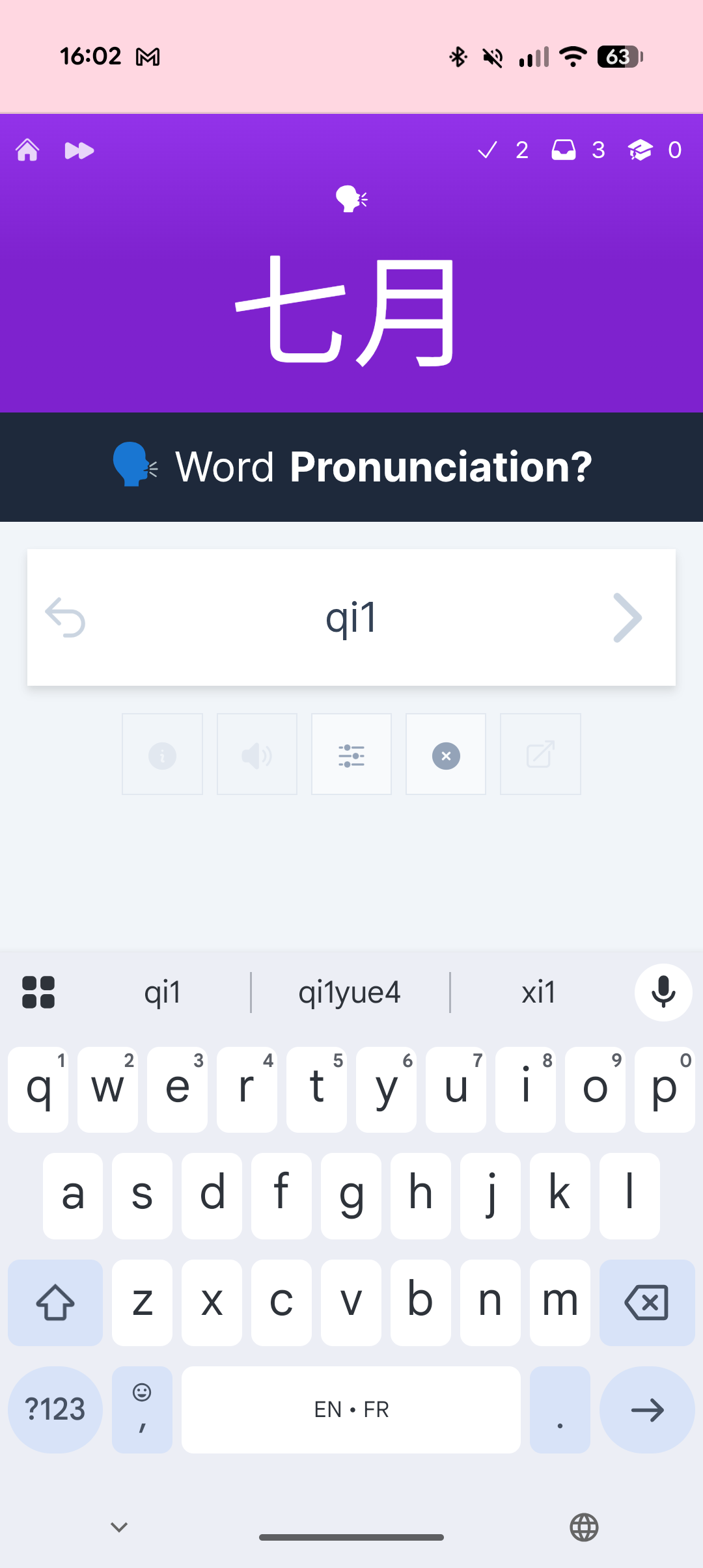
I did more testing and it seems like an unsolved issue. I’ve added any fields that would’ve done something and it still shows the word suggestions in my android emulator. I’ve deployed the new input attributes regardless, but I don’t think there’s anything available on our end to disable word suggestions unfortunately
Thank you for looking into it.
I know the biggest Android keyboard do not allow disabling suggestions, but they do stop learning from input that asks for it. Wanikani for example handles it rather well. Hopefully this will do the trick!
 I guess sometimes the keyboard ignores it? Apparently there’s another value we can use to signal the input is a “new password” and thus not suggest anything. I’ll do some testing to see if that affects anything before trying that out